Google Workspace MCP, Client services
Client meeting briefs built from Gmail, Calendar, and Drive
An internal client-operations MCP workflow that brings email, meetings, and documents together before the next conversation.
Built for: We run this on our own client work every week. The same build is available for your Google Workspace.
- connected Google apps
- 3
- connected Google apps
- step review sequence
- 6
- step review sequence
- approval before any change
- 1
- approval before any change
First agent live in one week. A short call. Your first agent, a fixed quote, and the timeline. No obligation.
Sound familiar?
- “Before every client meeting I dig through email, the calendar invite, and three versions of the proposal.”
- “The latest email changed a date, but the proposal still says the old one, and nobody caught it.”
- “We leave meetings with agreed actions that never make it into anyone's task list.”
How the system works.
- Step 1
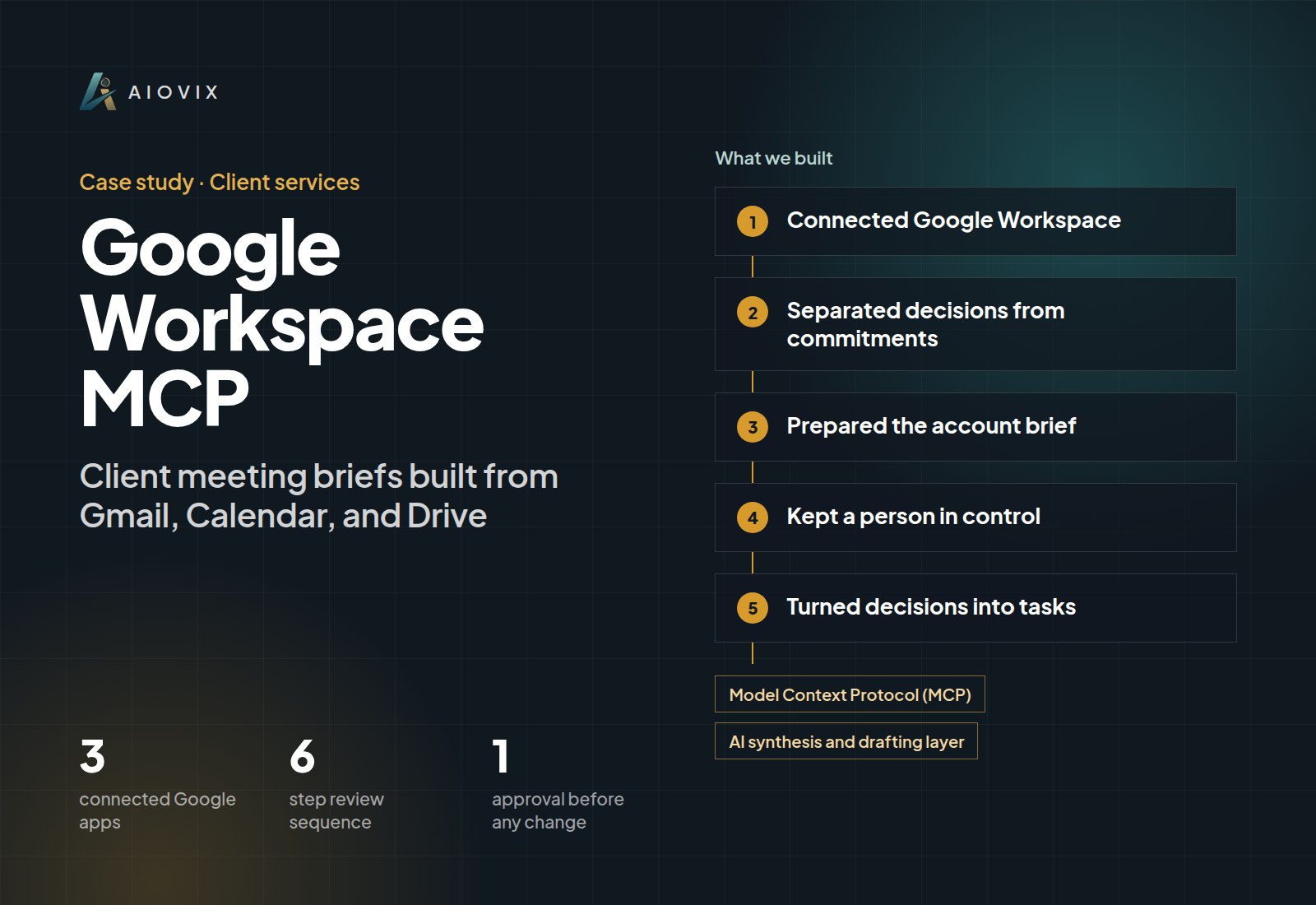
Connected Google Workspace
MCP tools retrieve client email history, calendar context, and the relevant Drive documents for a selected client or meeting.
- Step 2
Separated decisions from commitments
The workflow sorts agreed actions from open decisions and flags where an email and a document disagree, instead of silently picking one.
- Step 3
Prepared the account brief
Each brief covers current context, open decisions, agreed actions, and visible risks, then drafts a meeting agenda or follow-up.
- Step 4
Kept a person in control
Drafts are safe to review. Sending email or changing a meeting affects other people, so those actions wait for approval.
- Step 5
Turned decisions into tasks
Once approved, the next step is recorded in the AIOVIX sales workspace with an owner.
What changed.
- One account brief, agenda or follow-up draft, and approved next step from the same source context.
- Gmail, Calendar, and Drive stay the systems of record; nothing is copied into a separate tool.
- Conflicts between email and documents surface in the brief instead of in the meeting.
- Every draft is approved before anything is sent or saved, with a full record of what the AI suggested.
The AI inside.
Model Context Protocol (MCP)
Secure retrieval and action tools for Gmail, Google Calendar, and Google Drive
AI synthesis and drafting layer
Reads the retrieved records, writes the account brief, and drafts the agenda or follow-up
The full stack.
AI and automation
- MCP retrieval tools
- MCP action tools
- AI synthesis and drafting
Integrations
- Gmail
- Google Calendar
- Google Drive
- AIOVIX sales workspace
This fits you if...
- Your account managers rebuild client context by hand before every meeting.
- Your team runs on Google Workspace and important details live in email threads.
- Agreed actions from client calls regularly go untracked.
Start with a free Agent Audit. First agent live in one week
The AI Operations Assistant brings this to your team.
An AI team member that handles the admin work across your email, documents, CRM, and spreadsheets, and asks before anything important goes out.
Full project write-upRead itClose
Project overview
The client brief assembled from Gmail, Calendar, and Drive
Services: MCP Integrations ; AI Agents ; AI Workflow Automation
Delivery: AIOVIX internal client-operations workflow.
The Problem
Before a client meeting, the account owner needs the recent email exchange, the meeting details, and the relevant proposal or delivery files.
Those sources can disagree. A newer email may change a date in the proposal. A document can describe scope that has not been approved. Preparing the account brief means identifying those differences, not merely summarizing every file found.
What We Delivered
The MCP workflow retrieves client email history, calendar context, and relevant Drive documents.
It prepares an account brief covering current context, open decisions, agreed actions, and risks visible in the available records. From that brief, it drafts a meeting agenda or contextual follow-up.
A human reviews the proposed action before a calendar item or sales task is created.
The Working Sequence
- Select the client or upcoming meeting.
- Retrieve relevant threads, meeting context, and documents.
- Separate agreed actions from unresolved decisions.
- Prepare the account brief and agenda or follow-up.
- Review the proposed action.
- Record the approved next step.
For example, a scope question in the latest email and an older proposal belong together in the brief. The assistant can bring both to the account owner's attention; it should not silently decide which scope the client accepted. This is an illustrative workflow, not a claimed customer incident.
Engineering Decisions
Preserve the source systems. Gmail retains the communication, Calendar retains the event, and Drive retains the files. The brief brings them together for the meeting.
Distinguish context from commitment. A draft agenda is safe to review; sending an email or changing a meeting affects other people and needs approval.
Carry open items into work tracking. Preparation should produce an assigned next action when the user approves it.
Results
The delivered output is an account brief, a contextual draft, and an approved operational next step from the same source context.
That replaces repeated manual assembly for the described workflow. Meeting-preparation time and missed-action reduction have not been measured in the supplied records.
Connected Stack
Gmail, Google Calendar, Google Drive, MCP retrieval/action tools, an AI synthesis and drafting layer, and the AIOVIX sales workspace.
Example value calculation
Hypothetical planning example, not a measured project result or a performance forecast. All volumes and timings below are assumed.
Find the relevant email, calendar event, and files, then check the prepared brief.
- Workload: 20 client meeting briefs per month.
- Manual handling: 20 minutes per item.
- Assisted handling, including human review: 8 minutes per item.
- Modeled difference: 20 x (20 - 8) = 240 minutes (4 hours) per month.
The calculation covers preparation only, not the meeting or completion of follow-up work. This is potential staff capacity, not cash savings; setup, training, and software costs are excluded.
How to validate: Compare brief-preparation time for similar accounts. Include time spent correcting stale documents, missing context, and wrongly inferred commitments.
Related case studies.
HubSpot MCP
Every HubSpot deal reviewed and given a clear next step
AI: Model Context Protocol (MCP), AI account synthesis and drafting
Closeum
One system from the sales call to the commission
AI: OpenAI, Recall.ai
Planroom
Bid packages turned into answers with the source page attached
AI: OpenAI Responses API, LangGraph, Pinecone
Want this for your team?
Book a short audit call and show us the workflow. You leave with the first agent we would build, a fixed quote, and the timeline.