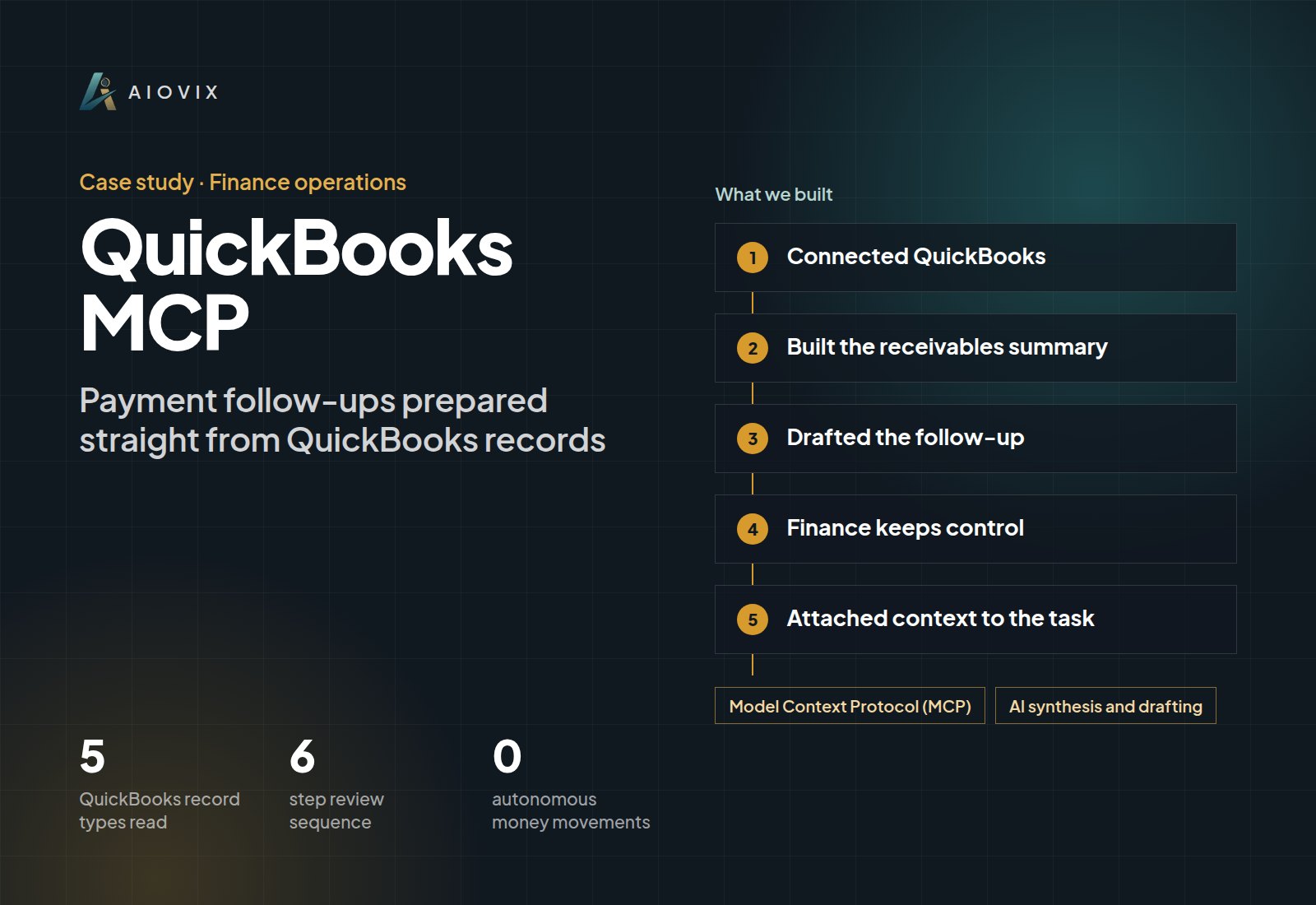
QuickBooks MCP, Finance operations
Payment follow-ups prepared straight from QuickBooks records
An internal finance MCP workflow that gives payment follow-up the invoice and customer context it needs.
Built for: We run this on our own receivables every week. The same build is available for your QuickBooks.
- QuickBooks record types read
- 5
- QuickBooks record types read
- step review sequence
- 6
- step review sequence
- autonomous money movements
- 0
- autonomous money movements
First agent live in one week. A short call. Your first agent, a fixed quote, and the timeline. No obligation.
Sound familiar?
- “An overdue total tells me nothing. I need to know which invoices, what's paid, and whether there's a dispute.”
- “Finance and account management each pull the same records before anyone can write a reminder.”
- “We worry about chasing a customer for an invoice they already paid.”
How the system works.
- Step 1
Connected QuickBooks
MCP tools retrieve customers, invoices, payment status, balances, and relevant expense context.
- Step 2
Built the receivables summary
Due and overdue items are organized per customer, with recorded disputes or outstanding actions included only when the records support them.
- Step 3
Drafted the follow-up
The reminder is written from the invoice and payment records, so the financial status always wins over earlier conversation.
- Step 4
Finance keeps control
A person checks amounts, status, and tone before the task is created. The workflow never moves money or adjusts the books.
- Step 5
Attached context to the task
The approved follow-up carries its invoice context, so the owner acts without researching the same items again.
What changed.
- Receivables visibility connected to a prepared follow-up and an assigned owner in one workflow.
- Paid invoices never appear in an overdue reminder, because source financial status takes precedence.
- Finance retains full control over balances, adjustments, and payments.
- Every reminder is approved before it goes to a customer, with a full audit trail.
The AI inside.
Model Context Protocol (MCP)
Retrieval tools for QuickBooks customers, invoices, payments, expenses, and balances
AI synthesis and drafting
Summarizes receivables and drafts the payment follow-up for review
The full stack.
AI and automation
- MCP retrieval tools
- AI synthesis and drafting
Integrations
- QuickBooks customers and invoices
- QuickBooks payments and balances
- QuickBooks expenses
- Sales and finance task tracking
This fits you if...
- You run your books in QuickBooks and chase late payments by hand.
- Preparing a reminder means pulling invoice and payment history every time.
- You want faster follow-up without giving AI control over your accounting.
Start with a free Agent Audit. First agent live in one week
The Finance Operations Agent brings this to your team.
Close the month in days and get paid on time.
Full project write-upRead itClose
Project overview
The invoice context behind a payment follow-up
Services: MCP Integrations ; AI Fintech ; AI Workflow Automation
Delivery: AIOVIX internal finance and follow-up workflow.
The Problem
An overdue total is not enough context for an account owner to contact the customer. They need to know which invoices are involved, what has been paid, whether an issue is recorded, and who should take the next step.
When finance and account management review those records separately, someone has to assemble the same information again before writing the follow-up.
What We Delivered
The MCP workflow retrieves QuickBooks customers, invoices, payment status, balances, and relevant expense context.
It prepares a receivables summary showing what is due or overdue and includes recorded disputes or outstanding actions when available. From those records it drafts a contextual payment follow-up.
A person checks the financial details and tone before creating the approved sales or finance task.
The Working Sequence
- Select the customer or receivables review scope.
- Retrieve invoice and payment records.
- Organize the outstanding items and available customer context.
- Prepare the follow-up draft.
- Review the amount, status, and any recorded issue.
- Assign the approved next action.
A paid invoice must not remain in an overdue reminder just because an earlier conversation mentioned it. The source financial status takes precedence over the model's interpretation.
Engineering Decisions
Read the financial record before drafting. Invoice and payment context should drive the reminder.
Do not invent a dispute. A dispute or promised payment belongs in the summary only when the retrieved context supports it.
Separate collection work from money movement. The described workflow prepares follow-up; it does not move funds or autonomously adjust accounting records.
Attach the invoice context to the task. The owner should not have to research the same items again to act.
Results
The delivered workflow connects receivables visibility to a prepared follow-up and an assigned action. Finance retains control over balances, adjustments, and payments.
No collection-time or cash-flow improvement is quantified in the supplied material. Generated reminders are workflow output, not evidence that the invoices were paid.
Connected Stack
QuickBooks customer, invoice, payment, expense, and balance records; MCP retrieval tools; AI synthesis and drafting; approved sales or finance tasks. Exact runtime, model, hosting, and authorization scope await the implementation record.
Example value calculation
Hypothetical planning example, not a measured project result or a performance forecast. All volumes and timings below are assumed.
Check invoice and payment context, then review the proposed reminder.
- Workload: 80 invoice follow-up preparations per month.
- Manual handling: 6 minutes per item.
- Assisted handling, including human review: 2 minutes per item.
- Additional exception handling: 40 minutes in the same period.
- Modeled difference: 80 x (6 - 2) - 40 = 280 minutes (4 hours 40 minutes) per month.
The example reserves another 40 minutes per month for disputes and payment-status exceptions. It does not estimate additional cash collected. This is potential staff capacity, not cash savings; setup, training, and software costs are excluded.
How to validate: Time record gathering and reminder review, including exceptions. Track incorrect reminders and actual receipts separately; a generated message is not a collected payment.
Related case studies.
Ledgerline
Finance reports that never count the same cash twice
AI: Anthropic Claude
HubSpot MCP
Every HubSpot deal reviewed and given a clear next step
AI: Model Context Protocol (MCP), AI account synthesis and drafting
BookSmart
Invoices, bank statements, and SIE files read into the books
AI: OpenAI GPT-4o, Tesseract OCR, AWS Textract
Want this for your team?
Book a short audit call and show us the workflow. You leave with the first agent we would build, a fixed quote, and the timeline.